"Mastering Multi-Page Printing: A Comprehensive Guide"
Mastering Multi-Page Printing: A Comprehensive Guide
In today's digital age, printing documents that span multiple pages is an essential skill. Whether you're a student, a professional, or a small business owner, knowing how to print on multiple pages can save you time, ink, and paper. This guide will walk you through the process, ensuring your printed documents are neat, organized, and easy to read.
Understanding Multi-Page Printing
Before we dive into the steps, let's understand what multi-page printing is. It's a feature that allows you to print a single document across multiple sheets of paper, with each page starting on a new sheet. This is particularly useful when printing long documents, such as reports, essays, or books.
Preparing Your Document
Before you start printing, ensure your document is ready. This includes checking for spelling and grammar errors, ensuring the content is well-structured, and formatting it appropriately. Here are some formatting tips:


- Use a standard font, like Arial or Times New Roman, in a size that's easy to read.
- Set reasonable margins to ensure your content doesn't get cut off.
- Use headings and subheadings to break up text and improve readability.
Setting Up Your Printer
Once your document is ready, it's time to set up your printer. Here's how you can do it:
- Connect your printer to your computer if it's not already. Most printers can connect via USB, Wi-Fi, or Ethernet.
- Open your document in your preferred word processing software, like Microsoft Word or Google Docs.
- Click on the 'File' menu, then select 'Print'.
Configuring Multi-Page Printing Settings
With the print dialog box open, you can now configure your multi-page printing settings. Here's how:


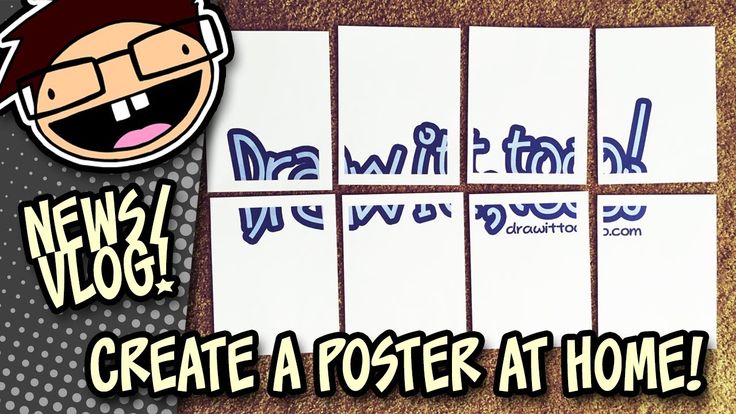
- Look for the 'Layout' or 'Page Setup' options. These are usually located in the left-hand menu or under a drop-down menu.
- Select the 'Multiple' or 'Booklet' option. This will allow you to print your document across multiple pages.
- Choose the number of pages you want to print on each sheet. Common options include 2, 4, 6, and 9 pages per sheet.
- Select the orientation you want. Landscape mode can fit more pages on a sheet, but portrait mode might be better for reading.
- Click 'OK' to save your settings.
Printing Your Document
With your settings configured, you're ready to print. Here's how:
- In the print dialog box, ensure your printer is selected in the 'Printer' menu.
- Choose the number of copies you want to print.
- Click 'Print' to start printing your document.
Troubleshooting Common Issues
While multi-page printing is a straightforward process, you might encounter some issues. Here are some common problems and their solutions:
| Problem | Solution |
|---|---|
| My printer isn't printing the correct number of pages per sheet. | Check that you've selected the correct option in the 'Layout' or 'Page Setup' menu. Also, ensure your document's margins are set correctly. |
| My printer is printing pages out of order. | Check that you've selected the 'Multiple' or 'Booklet' option. Also, ensure your document is saved and closed before printing. |
Multi-page printing is a powerful tool that can save you time and resources. With a little practice, you'll be printing long documents with ease. Happy printing!


Related Articles
"Mastering Multi-Page Printing: A Comprehensive Guide"
Mastering Multi-Page Printing: A Comprehensive Guide In today's digital age, printing documents that span multiple pages is still a common requirement. Whether...

"Sonic 3: Mastering Multi-Page Printing"
Unraveling the Mystery: Sonic 3 Printing Pages In the vast world of gaming, few franchises have left as indelible a mark as Sonic the Hedgehog. Developed by...

"Mastering Anime Coloring in Procreate: A Comprehensive Guide"
Coloring Anime in Procreate: A Comprehensive Guide Embarking on the creative journey of coloring anime in Procreate can be an exciting and rewarding...

"Mastering the Art: A Comprehensive Guide to Calligraphy Capital O"
Mastering the Art of Calligraphy: A Deep Dive into the Capital Letter 'O' The art of calligraphy has been captivating hearts and minds for centuries, with each...

"Mastering 'How to Train Your Dragon': A Comprehensive Guide"
Unleashing the Potential: A Comprehensive Guide to Training Your Dragon Embarking on a journey to train your dragon is an exciting and rewarding experience...

"Mastering Radian Circle Graphs: A Comprehensive Guide"
Understanding Radian Circle Graphs: A Comprehensive Guide In the realm of data visualization, the radian circle graph, also known as a circular bar chart or...