"Print Life-Size Ruler Online: Accurate & Free"
Printing Online Rulers to Actual Size: A Comprehensive Guide
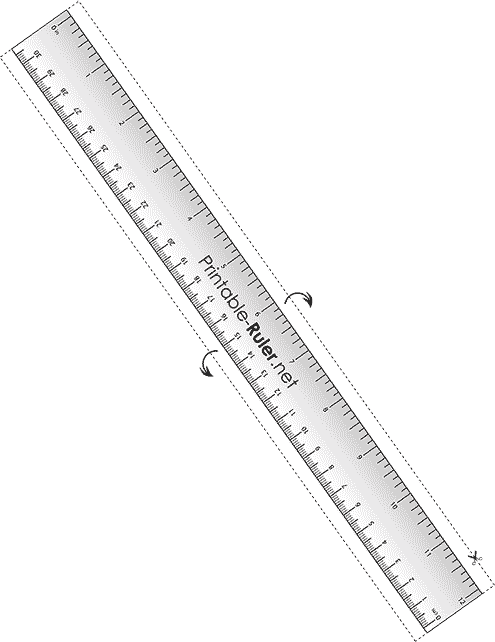
In the digital age, measuring tools have evolved from physical devices to online tools. Online rulers, with their convenience and accessibility, have become a staple in many industries. However, the question of how to print an online ruler to actual size often arises. This guide will walk you through the process, ensuring your printed ruler is as accurate as its digital counterpart.
Understanding Online Rulers
Online rulers are digital tools that mimic the functionality of physical rulers. They are typically displayed in pixels, with each pixel representing a specific unit of measurement, such as a centimeter or inch. To print an online ruler to actual size, you need to understand its scale and resolution.
Pixel Density and Resolution
Pixel density, measured in pixels per inch (PPI), determines the sharpness of an image. For print, a standard PPI is 300. Resolution, on the other hand, refers to the total number of pixels in an image. Understanding these concepts is crucial when printing online rulers to actual size.


Finding a Printable Online Ruler
Before you start printing, you need to find an online ruler that offers a printable option. Many websites provide this service, often with customizable units and lengths. Some popular options include:
Printing an Online Ruler to Actual Size
Once you've found a suitable online ruler, follow these steps to print it to actual size:


- Customize the ruler's length and units to your requirements.
- Click the 'Print' button. A new tab or window will open with the print preview.
- Ensure your printer settings are correct. Set the paper size to match the ruler's dimensions and the print quality to high or best.
- Check the 'Scale to fit' or 'Fit to page' option to ensure the ruler prints at its actual size. This option is usually found in the 'Page Handling' or 'Layout' section of your printer settings.
- Click 'Print' to start printing your ruler.
Testing Your Printed Ruler
After printing, it's essential to test your ruler to ensure it's accurate. You can do this by measuring known objects or comparing it to a standard ruler. If the printed ruler is not accurate, you may need to adjust your printer settings or try a different online ruler.
Tips for Printing Online Rulers
| Tip | Description |
|---|---|
| Use high-quality paper | High-quality paper ensures your ruler is durable and easy to read. |
| Check your printer's resolution | Ensure your printer's resolution matches the standard print resolution of 300 PPI. |
| Test with small prints first | Before printing a large batch, test with a small print to ensure accuracy. |
Printing online rulers to actual size can be a straightforward process with the right tools and knowledge. By following this guide, you can ensure your printed ruler is as accurate and useful as its digital counterpart.



Related Articles
"Print Actual Size Inches: Free Online Ruler for Accurate Measurements"
Printable Online Ruler in Actual Inches: A Comprehensive Guide In the digital age, the need for physical measuring tools like rulers has significantly...
"Actual Size Printable Ruler in Inches: Free Online"
Precisely Measure Online: Printable Ruler in Inches for Accurate Sizing In the digital age, the need for physical measuring tools hasn't diminished. Instead...
"12-Inch Actual Size Online Printable Ruler: Free & Easy to Use"
Online Printable Ruler: 12 Inches Actual Size In the digital age, the need for physical measuring tools hasn't diminished. In fact, it's more convenient than...
"Instantly Download: Printable Actual Size PD Ruler for Online Use"
Printable Actual Size PD Ruler Online: A Comprehensive Guide In the digital age, the need for physical measuring tools hasn't diminished. While we have pixel...
"Actual Size Printable Ruler in MM: Free Download"
Precise Measuring with Printable Rulers in MM Actual Size In the world of design, crafting, and DIY projects, accurate measurement is paramount. A printable...

"Actual Size Printable Protractor with Ruler: Free Download"
Accurate Measurement with a Printable Protractor and Ruler: A Comprehensive Guide In the world of design, engineering, and craftsmanship, precision is key. A...